
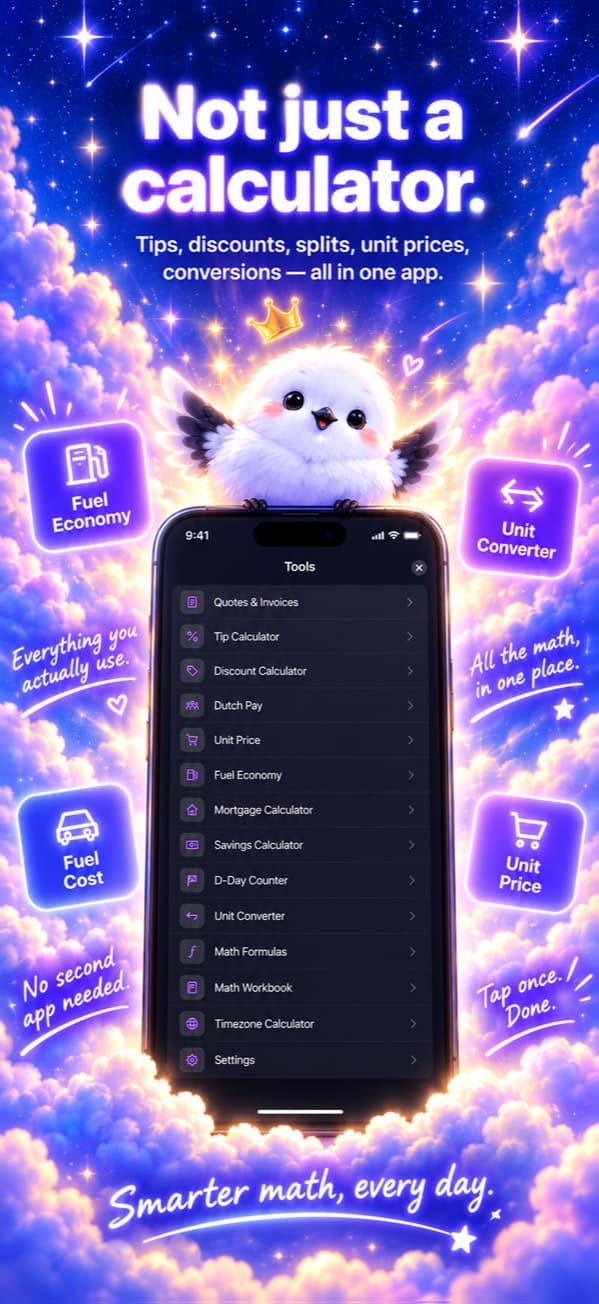
Do you have a calculator, a unit converter, a bill splitter and a tax calculator scattered across your phone? Smart Calculator by TrueNorth Labs brings those calculations together in one app. It runs on iPhone, iPad and Mac, and every calculation stays on your device. This post walks through what it can do and how it differs from other calculators.
At a glance
- The core calculator is free — scientific functions, one-line expressions, memory and history
- Read the numbers in a receipt photo and add them up instantly
- Everyday tools such as tip, discount, bill splitting and unit price comparison
- A formula book with 81 formulas and a math workbook with 160 problems
- Tax and pay calculators for the country you live in
- No ads, no tracking, no subscription, and your data never leaves your device
1. A calculator that is accurate and easy to use
Many calculator apps can show tiny errors when working with decimals. Smart Calculator uses decimal arithmetic, so calculations where every digit counts, like money, come out exact.
- Result preview — The result appears on a small line before you press
=. - Scientific functions — sin, cos, tan, log, ln, √ and xʸ, with parentheses, one-line expressions and RAD/DEG switching.
- Memory and history — MC, MR, M+ and M− memory, plus a calculation history with favorites and export.
- Paste copied numbers — When you copy a number in another app, a banner offers to paste it with one tap.
- Even in iPhone portrait, a single
ƒ(x)button reveals the scientific keys.

2. Add up the numbers in a photo
Pick a photo of a receipt or a menu, and the app reads the numbers and totals them. If there is a "total" line, only that line is selected automatically, so the items and the total are not added twice. You can remove or correct any item, and send the total straight to the bill splitter. Recognition runs on your device with Apple's built-in technology, and the photo is never sent anywhere or saved.
3. Everyday calculation tools
- Tip, discount and bill splitting — Discounts work by percentage or amount, bill splitting handles separately paid items, and you can share the result in a message.
- Unit price comparison — Enter the price and size of two products to see which is cheaper per 100 g, per 100 mL or per item.
- Fuel economy and fuel cost — See km/L, L/100 km and US and UK MPG side by side, including electric vehicles.
- Stock averaging down — Find your new average price after buying more, and how many shares you need to reach a target average.
- Unit conversion (8 categories), time zones (55 cities with automatic daylight saving) and date math (including age)
- Ovulation calculator — A prediction for reference only, and nothing you enter is saved.
- Quotes — List your items to get subtotals by tax rate and a grand total, then export as a PDF.

4. Math you can learn from — formulas and workbook
The formula book covers 81 formulas across geometry, finance, trigonometry and algebra, physics and astronomy. Enter values and the result appears immediately, and geometry formulas show the values on the diagram. You can also turn any formula into a quiz by difficulty and get scored right away.
The math workbook has 160 problems across four topics: linear equations, quadratic equations, the Pythagorean theorem and trigonometric ratios, and probability and statistics. After a 25-question round, it shows the problems you missed with step-by-step solutions. On devices that support Apple Intelligence (iOS 26 or later), you can also read the steps explained in plain language. The AI never calculates anything itself; it only puts the already-verified steps into words.

5. Tax and pay tools for the country you live in
Choose your country of residence in Settings, and the tools for that country appear. It is separate from the display language, so you can use the app in English with Japanese tools, for example.
- Japan — Consumption tax, simplified taxation, invoice transitional measures, the 20% special rule, take-home pay, social insurance, overtime pay, retirement allowance, paid leave, the furusato nozei limit, flea-market profit, simple inventory and stock sale tax
- South Korea — Take-home pay, the four social insurances, severance pay, VAT, compound interest, annual leave and stock sale tax
- China — Social insurance and housing fund, take-home pay, annual bonus tax comparison and stock sale tax
- Europe and Singapore — Germany gross-to-net pay and annual leave, Austria annual leave, France gross↔net pay and statutory severance, Spain dismissal compensation, Italy TFR, Netherlands holiday allowance and transition payment, Belgium notice periods, Singapore income tax and CPF
- VAT and GST — Calculate net↔gross at the standard rates of China, seven European countries (Germany, Spain, France, Italy, the Netherlands, Belgium and Austria) and Singapore.
The calculations follow each country's official rules. For example, the German take-home pay calculator was built to reproduce all 43 rows of the test table published by the German Federal Ministry of Finance.
Every tool comes with an explanation card. It covers what is calculated and how, what is not included, the sources and when they are updated, and where to check the exact figure. The screen also states that the results are for reference only and have no legal effect.
6. Right there when you need it
- Widgets and Control Center — Open the app from Home Screen and Lock Screen widgets or a Control Center button (iPhone and iPad).
- Spotlight search — Search for the name of a tool or formula and open it directly.
- Siri and Shortcuts — Open your frequently used tools from Siri or the Shortcuts app.
- iPad and Mac — On iPad the scientific panel is always visible, and on Mac it appears when you widen the window. Hardware keyboards are supported.
- Make it yours — 9 languages, dark and light modes, 7 accent colors, your own photo as the background (Pro), adjustable text size and VoiceOver support.
7. Your data stays on your device
Smart Calculator was designed from the start as a calculator that takes nothing from you.
- There are no ads and no analytics or tracking tools.
- There is no account to sign up for.
- It does not ask for photo library access (it only uses the photo you pick with the system photo picker).
- Your history and settings are stored only on your device and are never sent out.
- It is built only on Apple's own frameworks, without third-party open-source libraries.

8. Pricing
The calculator screen is free with no limits. The everyday tools, country-specific calculators, formula book, workbook and photo calculation are unlocked with Pro. Pro is a one-time purchase, not a subscription, and it works on your other devices signed in with the same Apple Account. Some tools can be tried for free first. If you used the app before Pro was introduced, every feature stays free for you.
Wrapping up
If you have been jumping between apps and websites for calculations that one calculator should handle, give it a try. Accurate math, tools that follow each country's rules and a design that takes none of your data are what Smart Calculator promises.