

Anyone can show you the number "P/E 15". What nobody tells a beginner is whether that number is cheap or expensive, and why. StockFit by TrueNorth Labs is a glossary that sits between the number and its meaning and translates. This post walks through what it can do, and what it deliberately leaves out.
At a glance
- 333 investing terms in plain words, focused on stocks, across ten categories
- 156 terms come with a figure that draws itself, so the shape carries the meaning
- Pick a screenshot from a brokerage app or the news, and the terms on it are found for you
- An averaging calculator that uses only the numbers you type, with no prices fetched
- 11,972 companies listed in Japan and the United States, browsable by sector
- Japanese, Korean and English, with explanations that follow the country you live in
1. 333 terms, explained the way a beginner would ask
The glossary covers ten categories: basics, financial metrics, trading, charts, bonds, crypto assets, funds, FX, the economy and taxes. More than half of the terms are about stocks. Every term has four parts: a one-line definition, a fuller explanation, an example with real numbers and links to related terms.
- Your country, your rules — Taxes, settlement days and price limits differ from country to country. Choose Japan, Korea or another region in Settings, and those parts are explained with that country's rules, with example amounts in its currency.
- Language and country are separate — You can read Japan's rules in English, or Korea's in Japanese.
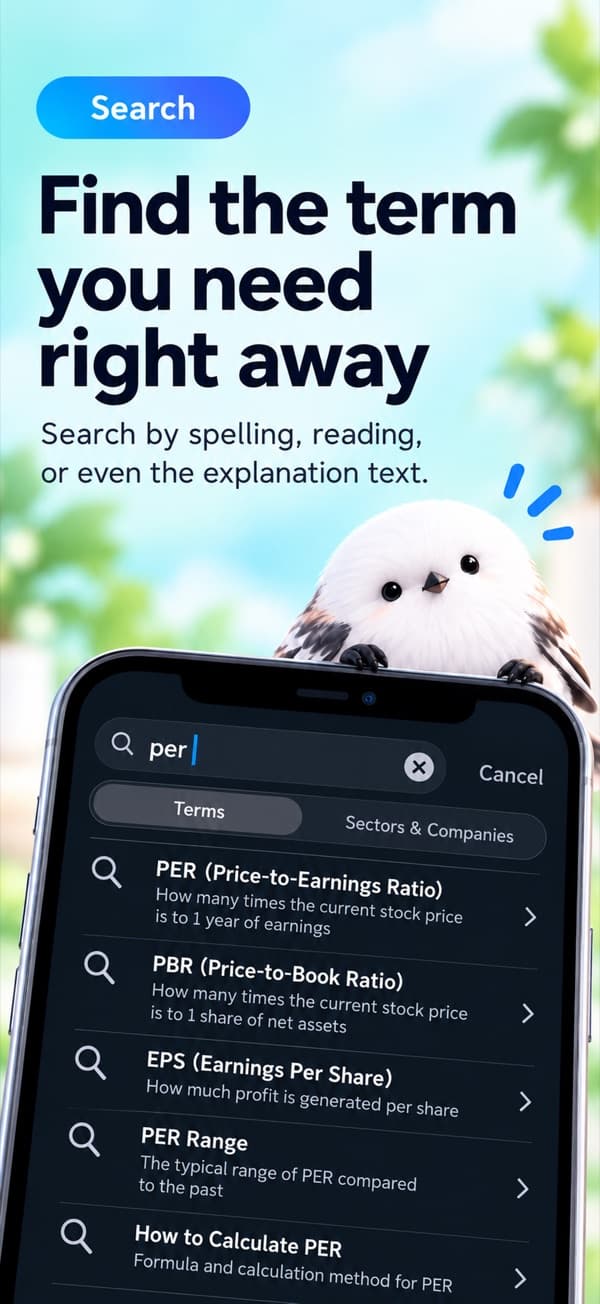
- Search that forgives spelling — Headings and explanations are searched together, and Japanese can be typed in hiragana.
2. See the metric, not just the number
156 terms come with a figure. Comparison bars, ratio rings, stacked bands, crossing lines, candlesticks, funnels and before-and-after bars each draw themselves as they appear. A golden cross actually crosses, and a funnel narrows from top to bottom, so the movement itself explains the metric. Every value in a figure also appears in the example right below it, so the picture and the text never disagree.
3. Find terms on your screen, or ask in your own words
Find in a Screenshot — Pick a screenshot of a brokerage app or a news article, and StockFit finds the terms on it and links each one to its explanation. Text is read on your device only, and the image is never saved or sent.
Ask in Your Words (supported devices) — Describe what you want to know in a sentence, and your device's built-in AI picks related terms from the glossary. The AI only chooses terms; every explanation you read is the glossary's own text, written and checked in advance. Your question never leaves your device.
Both are free up to three times a day in total, and unlimited with the one-time purchase described below.
4. Practice for Japan's securities sales representative exam
With your country set to Japan, the home screen offers practice for Japan's securities sales representative exam (the questions are in Japanese). The 201 true/false and five-choice questions were written from the text of the law, and every answer shows the explanation and the article it rests on. For free, each round draws five questions from ten easy ones. The purchase adds practice drawn from all 201 questions and a 70-question, 300-point mock exam in the Class 2 format. These are not actual exam questions, and the app is not affiliated with the organization that runs the exam.

5. Averaging calculator and portfolio
Enter what you paid and how many shares you bought, and the calculator shows your average cost and total. No prices are fetched; the math uses only the numbers you type, and fees and taxes are not included. Records stay on your device, and the app says plainly that there is no backup.
With the purchase, Portfolio shows your holdings together, broken down by stock and by sector. Yen and dollars are never added together; each currency gets its own view.
6. 11,972 companies in Japan and the United States
Browse 4,259 Japanese and 7,713 US listed companies by sector, or search by code or name. Each company shows its code, name, exchange, sector and a short summary, with an initial badge and a sector icon so lists are easy to scan. The data comes from public government filings and open data, and there are no prices or other market data.
7. A term a day, wherever you are
- Term of the day — Turn on a daily notification at a time you choose, and one term arrives each day. Tapping it opens that term.
- Siri and Home Screen search — Look up a term without opening the app first.
- No account, works offline — The glossary ships inside the app, so it reads with no connection.
- Every term on the web — Each term also has its own web page in three languages, so you can share a link.

8. Pricing
The glossary, the figures, search, bookmarks and the averaging calculator are free. The app shows ads. A one-time purchase, "Remove Ads", turns them off and unlocks Portfolio, the full question bank and the mock exam, and unlimited Find in a Screenshot and Ask in Your Words. It is not a subscription, and nothing that is free today becomes paid after the purchase.
Please note
StockFit is an educational app for learning about investing, not investment advice. It never recommends buying or selling any particular security, and every user sees the same explanations. The calculator and Portfolio only show the arithmetic of the numbers you enter. Tax explanations describe how each system works and are not individual tax advice. Investment decisions are your own responsibility.
Wrapping up
If you have ever looked at a number on a brokerage screen and wondered what it actually means, StockFit is built for that moment. It does not tell you what to buy; it helps you understand what you are looking at.